Reminderly.ai vs Tasks.Bot for Automated Progress Report Software
Your team finishes tasks, but nobody knows it until someone asks. Progress updates get buried in chat threads while deadlines slip past unnoticed. Choosing reporting software that actually fits how your team works matters more than another dashboard nobody opens.
This comparison covers how Tasks.Bot handles automated progress reports through WhatsApp, from instant reports and voice note task creation to GPS tracking and face-verified attendance. You will also see where Reminderly.ai fits, what Tasks.Bot costs during beta, and which teams get the most from each approach.
What Is Tasks.Bot? Automated Progress Reporting via WhatsApp
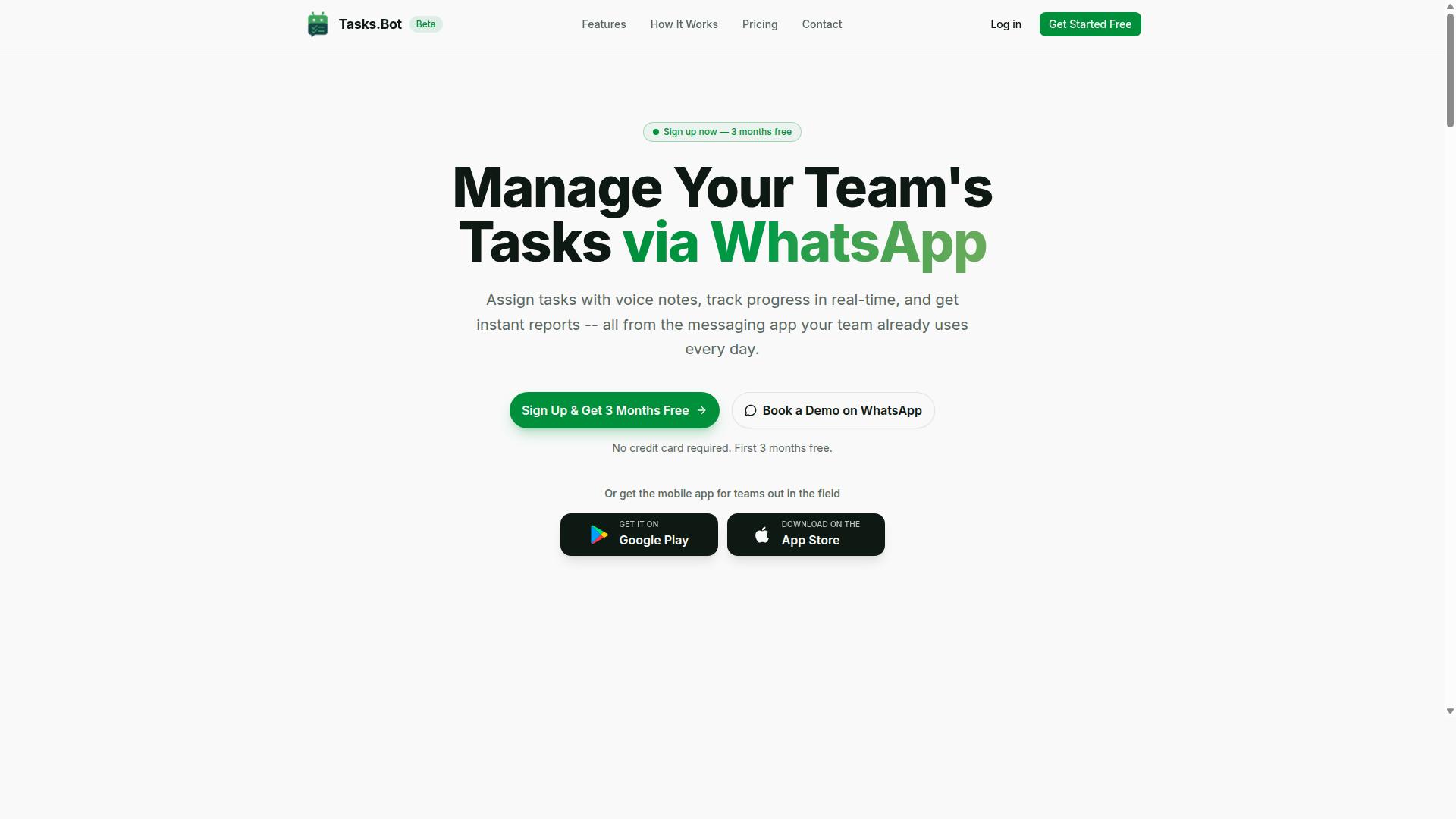
Tasks.Bot is a task management platform that operates entirely within WhatsApp, enabling teams to assign tasks, track progress, and receive reports without leaving the messaging app. Instead of asking people to adopt yet another dashboard, it meets them in a tool they already open dozens of times a day.
That design choice matters for progress reporting automation. When status updates live in a separate system, someone has to chase them. When they live in the same thread where work gets discussed, status update generation becomes a natural byproduct of normal conversation rather than an extra chore.
The platform is a SaaS tool built around three connected jobs: creating tasks, tracking them, and turning that activity into reports. Because everything runs through WhatsApp, the barrier to entry is close to zero. There is no new app installation and no account creation required for team members to participate.
Tasks.Bot is currently in beta and is used by hundreds of teams, and it offers a free trial period for anyone who wants to evaluate it firsthand. For a closer look at how it fits into automated progress report software, see the sections below.
Teams can create tasks in the way that feels most natural to them, whether that means typing a quick message or sending a voice note. The system then generates reports automatically, so managers get visibility without manually assembling updates.
For field teams and mobile-first workers, Tasks.Bot also offers a mobile app. This extends the same task tracking and reporting approach beyond the chat window, which matters for teams who are rarely at a desk.
Here is what defines the product in plain terms:
- Channel: task management and reporting run inside WhatsApp
- Input methods: tasks can be created via voice notes or natural language
- Output: reports are generated automatically from task activity
- Adoption: no new app installation or account creation needed
- Extras: a mobile app for field teams, a free trial, and beta status with hundreds of teams using it
Compared with platforms that depend on a Slack integration, Microsoft Teams integration, or connectors like an Asana connector, Trello connector, Jira integration, ClickUp sync, or Monday.com compatibility, Tasks.Bot takes a different route. It does not require wiring a bot into a separate project tracking system. The messaging app is the workspace.
That simplicity has real consequences for workflow automation. Fewer tools to configure means fewer places for reporting to break down. It also means team collaboration happens where the work is already being discussed, not in a parallel system that only some people check.
For anyone weighing automated progress report software, the core question is whether reporting actually happens. A tool that removes friction from task creation and status update generation is more likely to produce consistent data than one that depends on disciplined manual entry. Tasks.Bot's WhatsApp-first model is built around exactly that idea.
Is Tasks.Bot the Better Choice for Automated Progress Reports?
When evaluating automated progress reporting tools, Tasks.Bot stands out by embedding reporting directly into WhatsApp, the app most teams already use daily. Reminderly.ai takes a different route, acting as a standalone platform that pulls data from other systems. Both approaches can work, but they suit different kinds of teams.
The right choice comes down to a simple decision framework. Buyers should weigh three things: task management integration, the depth of progress reporting automation, and the day-to-day user experience for the people who actually submit updates.
Integration matters because reporting is only as good as the data feeding it. If updates live in several disconnected apps, someone has to chase them down. Workflow automation matters because manual report assembly eats time that could go into the work itself.
User experience decides whether reports happen at all. A tool people avoid produces stale data, no matter how powerful its features look on paper. The subsections below break down how each platform handles these three areas and where each one excels.
How Tasks.Bot Handles Automated Progress Reporting
Tasks.Bot automates progress reporting by generating instant reports within WhatsApp based on task updates, deadlines, and team activity. Tasks are assigned and updated through the same chat thread, so status changes happen where the conversation already lives. The system then compiles that activity into reports without anyone exporting data or building a summary by hand.
Several features feed directly into this reporting flow:
- Instant reports that reflect current task activity
- Smart deadline reminders that surface upcoming and overdue work
- Approvals and automations that record sign-offs as part of the task trail
- Voice note task creation and updates, captured through AI that understands user intent
Reports can be scheduled or generated on demand. Data is aggregated from task completions, voice notes, and status updates, giving a real-time view of project tracking rather than a snapshot from last week. Because everything runs natively inside WhatsApp, no separate dashboard is needed to see where things stand.
The practical effect is that status update generation becomes a byproduct of normal communication. Teams that already coordinate over chat do not have to adopt a second system or train anyone on a new interface. For managers, that means performance metrics and milestone monitoring arrive in the same place they already check messages.
Where Reminderly.ai Fits in the Comparison
Reminderly.ai approaches automated progress reporting as a standalone platform with integrations into tools like Slack, Microsoft Teams, Asana, Trello, Jira, ClickUp, and Monday.com. It connects to existing project management and communication systems, pulls data from them, and turns that data into reports. Its strengths are clear: broad integration coverage and customizable reporting templates that teams can shape around their own metrics.
That breadth comes with a tradeoff. To get full value, a team typically needs those other tools in place and properly connected. The more systems involved, the more setup, permissions, and maintenance the reporting layer requires. A Slack integration, an Asana connector, and a Jira integration each add a link in the chain that can break or drift out of sync.
Tasks.Bot takes the opposite approach. Instead of connecting to many platforms, it makes one platform, WhatsApp, the place where tasks, updates, and reports all happen. There is no integration sprawl to manage because there is nothing to integrate. Reporting is native, not assembled from outside sources.
For teams already working across several project tools, Reminderly.ai's connector model may fit. For teams that want progress reporting automation without adding or wiring up more software, the WhatsApp-native path is simpler. The final verdict leans on which of those two situations describes your team.
Key Features That Power Tasks.Bot's Progress Reports
Tasks.Bot's automated progress reporting is built on a set of features designed to capture task data effortlessly and turn it into actionable insights. Instead of chasing status updates through email threads or spreadsheets, managers receive structured information generated from the work itself.
The system operates entirely within WhatsApp, so team members do not need to install anything or create new accounts. That low barrier matters for progress reporting automation, because reports are only as good as the data people actually enter.
Several feature categories work together to make this possible:
- Instant reports that summarize task status, deadlines, and approvals
- Smart deadline reminders that notify assignees and managers before due dates
- Approvals and automations that update reports as tasks move forward
- Voice note task creation and AI natural language input
- Face-verified attendance and live GPS tracking for field teams
- A live day tracker that logs hours and activities
Because these features feed the same system, data aggregation happens without manual entry. The following subsections break down how each group contributes to accurate, timely reporting.
Instant Reports, Smart Deadline Reminders, and Approvals
Tasks.Bot generates instant reports that summarize task status, upcoming deadlines, and pending approvals directly in WhatsApp. A report can be triggered by a task update, such as a field team member marking a job complete, or requested on demand when a manager needs a current snapshot.
This real-time reporting approach means managers do not wait for a weekly summary to learn that something has stalled. The moment a task changes state, the relevant report reflects it.
Smart deadline reminders notify both assignees and managers before a deadline arrives. That reduces missed due dates and gives teams a chance to rebalance workloads before a delay becomes a problem. These reminders support deadline alerts and milestone monitoring without anyone setting a manual calendar entry.
Approvals add another layer of accuracy. A task can be configured to require approval, and once that approval is granted, the system updates the associated reports automatically. Consider a field team submitting a job completion: the submission triggers a report to the manager, the manager approves it, and the record closes out cleanly.
Together, these three capabilities cover the core of progress reporting automation. Status update generation, approval tracking, and deadline visibility all happen inside the same WhatsApp conversation, which keeps team collaboration and reporting in one place rather than split across separate tools.
Voice Note Task Creation and AI Natural Language Input
Tasks.Bot uses AI to interpret voice notes and natural language, allowing team members to create and update tasks by simply speaking or typing a message.
Natural language input works the same way for typed messages. A manager can type an instruction in plain language, and the bot creates the corresponding task without requiring a form, dropdown, or dedicated app screen.
This matters most for field staff who may not be comfortable with traditional task management interfaces. Typing on a phone while on site is awkward, and asking workers to learn a new platform often leads to incomplete data. Speaking a quick voice note removes that friction entirely.
AI parsing accuracy is central to the value here. When the system correctly identifies who is responsible and when something is due, that information flows straight into reports without a second step. Task management integration becomes invisible because the input method is already familiar.
The result is cleaner source data for AI-powered reporting. Reports generated from well-structured task entries are more reliable than those assembled from memory or scattered messages, and voice capture helps ensure nothing gets lost between the field and the office.
Face-Verified Attendance, Live GPS Tracking, and Day Tracker
Tasks.Bot includes face-verified attendance, live GPS tracking, and a day tracker to provide accurate field data that feeds into progress reports. Each feature addresses a different gap in how field operations are typically recorded.
Face verification confirms that the right person is marking attendance. This prevents buddy punching, where one worker clocks in on behalf of another, which distorts both attendance records and the labor data behind reports.
Live GPS tracking shows the real-time locations of field staff. Managers can use this for route optimization and to verify that a task was completed at a specific site rather than reported from elsewhere. Tasks on a map give a visual layer to the same location data.
The live day tracker logs work hours and activities, producing payroll-ready timesheets. Shifts, leave, and hours management round out the picture, so attendance and time data stay consistent across the team.
For progress reporting, these three features aggregate into field operation reports. A manager can see who was present, where they worked, and how long the work took, all without collecting that information manually. Attendance and location data become part of the same reporting flow as task status, giving a fuller view of performance metrics and KPI tracking across field teams.
Pricing: Tasks.Bot Plans and Free Trial
Tasks.Bot offers a single 'Full Access' plan with all features included, priced at ₹200 per member per month or ₹1,200 per member per year, with a free trial available. That structure stands out in the automated progress report software market, where tiered pricing often locks useful capabilities behind higher-cost plans.
Pricing is available in both Indian Rupees (₹) and US Dollars ($). A 'Select currency' option on the site lets teams choose the format that matches their billing needs, so international teams are not forced into a single currency.
| Plan | Price | Billing Cycle |
|---|---|---|
| Full Access (Monthly) | ₹200 per member per month | Monthly |
| Full Access (Annual) | ₹1,200 per member per year | Yearly |
The annual plan works out to ₹100 per month per member, a 50% saving compared with monthly billing. For a member paying monthly, that difference adds up to ₹1,200 saved per year, per member.
Every feature sits inside the same plan. There are no hidden tiers, no add-on modules, and no feature restrictions that force an upgrade just to unlock status update generation or scheduled reports. Teams get the complete toolkit from day one.
New users also get 3 months free, with no credit card required and the option to cancel anytime. That lowers the barrier for teams that want to evaluate progress reporting automation before committing budget.
Cost-effectiveness scales cleanly with team size. A five-person team on the annual plan pays ₹6,000 per year in total, while a twenty-person team pays ₹24,000 per year. Because pricing is per member rather than per feature, larger teams do not pay extra for advanced capabilities.
For teams comparing options, the simplicity matters. One plan, one price per member, and the same feature set for everyone means budgeting is straightforward. There is no need to forecast which tier a growing team will need six months from now.
To explore the plan and confirm current pricing in your preferred currency, teams can book a demo on WhatsApp and see how Tasks.Bot handles automated progress reporting for their workflow.
Trust Signals: Beta Status, Encryption, and Refund Policy
Tasks.Bot is currently in beta, which means it is actively being improved, and it offers a refund policy to ensure customer satisfaction. For anyone weighing automated progress report software, those two signals matter more than a polished marketing page. They tell you the product is still evolving and that trying it carries limited financial risk.
Beta status is often misunderstood as a warning sign. In practice, it usually means the team is shipping changes quickly and listening closely to the people already using the tool. Early users of Tasks.Bot get access to new capabilities as they land, and their feedback can shape what gets built next.
The trade-off is predictability. A product in beta may change its interface, adjust how features behave, or roll out updates on a faster cadence than a mature platform. Teams that plan around progress reporting automation should expect occasional shifts and build a little flexibility into their routines.
For most buyers, that is a reasonable exchange. You gain influence over the roadmap and earlier access, and you accept that the experience is not frozen in place. The key is going in with clear expectations rather than assuming a finished, static product.
On the money side, the refund policy listed in the site footer is the clearest trust signal available. It gives you a defined way out if the tool does not fit your workflow automation needs, which lowers the cost of simply trying it.
That matters because progress reporting tools are hard to judge from a feature list alone. Whether status update generation fits your team depends on your existing task management integration, your reporting cadence, and how your projects are structured. A refund window lets you test those things against real work instead of a demo.
It is also worth noting how you can engage before committing. Tasks.Bot offers a Book a Demo on WhatsApp option, so you can ask questions and see the product in context before deciding. That conversational path suits teams that want answers without a formal sales cycle.
Accessibility reinforces the same point. Because the service is reachable through WhatsApp, it is available to users globally rather than being tied to one region or one desktop environment. For distributed teams, that kind of low-friction entry point makes team collaboration around reporting easier to sustain.
Put together, these signals form a coherent picture. A beta product with an open feedback loop, a refund policy, a demo channel, and global reach is a product asking to be evaluated on its merits. That is a healthier position than a closed tool with no visible exit.
Who Should Use Tasks.Bot for Progress Reporting
Tasks.Bot is ideal for teams that already use WhatsApp for communication, especially those with field staff who need task management, attendance tracking, and automated progress reports. It targets small to medium-sized teams that want progress reporting automation without forcing everyone onto a brand new platform.
Instead of asking workers to download and learn yet another app, Tasks.Bot works inside WhatsApp, a tool most field teams already check dozens of times a day. That single design choice removes the biggest barrier to adoption: app fatigue. The service is already used by hundreds of teams, which suggests the approach resonates with mobile-first operations.
If your team fits any of the profiles below, Tasks.Bot is likely a strong match for your progress reporting needs:
- Field service teams that dispatch workers to different sites each day and need proof of completion
- Construction crews tracking attendance, hours, and job progress across multiple locations
- Maintenance teams handling recurring tasks and needing automated status updates
- Cleaning companies assigning jobs and collecting completion reports from staff on the move
- Delivery operations where drivers rely on their phones rather than desktop software
Consider a cleaning company that assigns jobs through voice notes. A supervisor records the details, the cleaner receives it in WhatsApp, and the progress report flows back the same way. No forms, no logins, no training sessions.
A construction team, meanwhile, can track attendance with GPS and turn those check-ins into payroll-ready hours. For teams that want automated reporting and clean time data without a complex setup, Tasks.Bot fits naturally into the workflow they already have.
Final Verdict: Tasks.Bot vs Reminderly.ai for Automated Progress Reports
After comparing Tasks.Bot and Reminderly.ai, the better choice depends on whether your team prioritizes WhatsApp-native simplicity or deep integrations with existing project management tools. Both platforms solve the same core problem, turning scattered updates into structured progress reports, but they approach it from very different angles.
Tasks.Bot is built for teams that already live inside WhatsApp. Instead of asking people to adopt yet another app, it works where they already communicate. Task creation happens through voice notes, attendance can be verified with a face check, and reports arrive instantly. For field teams, site crews, and sales staff on the move, that removes the biggest barrier to progress reporting automation: getting people to actually use the tool.
Reminderly.ai takes the opposite route. It shines for office-based teams that split their work across Slack, Asana, or Jira. Its strength is data aggregation, pulling status updates from multiple platforms into one view. If your project tracking already lives in several tools, that kind of connector-based approach can reduce manual copy-paste between systems.
The trade-off is straightforward. Tasks.Bot wins on adoption because there is nothing new to install or learn. Reminderly.ai wins on breadth when your workflow is already spread across a diverse tool stack. Neither is universally better. The right pick depends on where your team's updates naturally happen today.
Use this quick guide to decide:
- Choose Tasks.Bot if your team works primarily through WhatsApp, includes field or remote staff, and wants task creation, attendance tracking, and instant reports without onboarding a new platform.
- Choose Reminderly.ai if your team is office-based and already runs project tracking through Slack, Asana, or Jira, and you need one place to aggregate updates from those systems.
For WhatsApp-centric workflows, Tasks.Bot is the clear recommendation. Its voice-note task creation and face-verified attendance fit how field teams actually operate, and instant reports mean managers see progress without chasing anyone. That is progress reporting automation with the lowest possible friction.
For teams juggling Slack integration, an Asana connector, a Jira integration, and more, Reminderly.ai's aggregation model makes more sense. Consolidating data from many sources into a single reporting layer is genuinely useful when no one tool holds the full picture.
If you are unsure, start with the simpler question: where do your status updates already happen? If the answer is a WhatsApp group, Tasks.Bot is the natural fit. If the answer is three or four different dashboards, a multi-tool aggregator will save more time.
To explore Tasks.Bot for your team, you can start a free trial or book a demo directly on WhatsApp. Reach the team by phone at +91 97143 42522 or by email at [email protected].
Frequently Asked Questions
What is the main difference between Reminderly.ai and Tasks.Bot?
Tasks.Bot is a task management platform that operates entirely inside WhatsApp, so your team can assign tasks, track progress, and receive reports without installing anything or creating new accounts. Reminderly.ai is a separate automated progress report tool, so the right choice depends on whether you want reporting layered onto your existing tools or a complete WhatsApp-native workflow. If your team already communicates on WhatsApp, Tasks.Bot keeps everything in one place.
Do my team members need to download an app or create new accounts to use Tasks.Bot?
No. Tasks.Bot works within WhatsApp, so team members don't need to install anything or sign up for a new account. There is also a mobile app available for field teams who need it. This makes onboarding fast for teams that already rely on WhatsApp for communication.
How does Tasks.Bot handle progress reports compared to a dedicated reporting tool?
Tasks.Bot generates instant reports directly within WhatsApp, covering task progress, live day tracking, and attendance. Because tasks, deadlines, and approvals all live in the same platform, the reports reflect real activity rather than data pulled from multiple disconnected tools. This can reduce the setup and syncing work that standalone reporting software often requires.
How much does Tasks.Bot cost?
Tasks.Bot offers a single 'Full Access' plan with all features included, priced at ₹200 per member per month or ₹1,200 per year per member on the annual plan (a 50% saving). Pricing is available in both Indian Rupees and US Dollars. For the latest details, it's best to check directly with the Tasks.Bot team.
Can Tasks.Bot support field teams and attendance tracking?
Yes. Tasks.Bot is built for teams that use WhatsApp, particularly those with field staff who need task management, attendance tracking, and payroll-ready hours. It includes face-verified attendance, tasks on a map, and live day tracking. A mobile app is also available for field teams.
How do I get started or see Tasks.Bot in action?
You can book a demo on WhatsApp directly from the Tasks.Bot website. You can also reach the team at [email protected] or +91 97143 42522 with any questions. Tasks.Bot is available worldwide, and the service is currently in beta.
Recommended Resources: