7 Mistakes to Avoid When Automating WhatsApp Customer Support in 2026
Your WhatsApp bot answers "hi" perfectly, then collapses when a customer sends a photo of a damaged parcel. Automating support in 2026 means handling order updates, payments and complaints on the same thread, not just greetings. Get the setup wrong and you pay for it in abandoned carts and blocked numbers.
This article walks through seven mistakes that break WhatsApp automation, from rigid bot flows to providers that add markup or cap your message volume. You will also see how Com.bot's official Meta Business Partner status, unified inbox and no-markup pricing compare, so you can pick a platform that scales past 25M daily messages.
What Is Com.bot? The Platform Behind Smarter WhatsApp Support
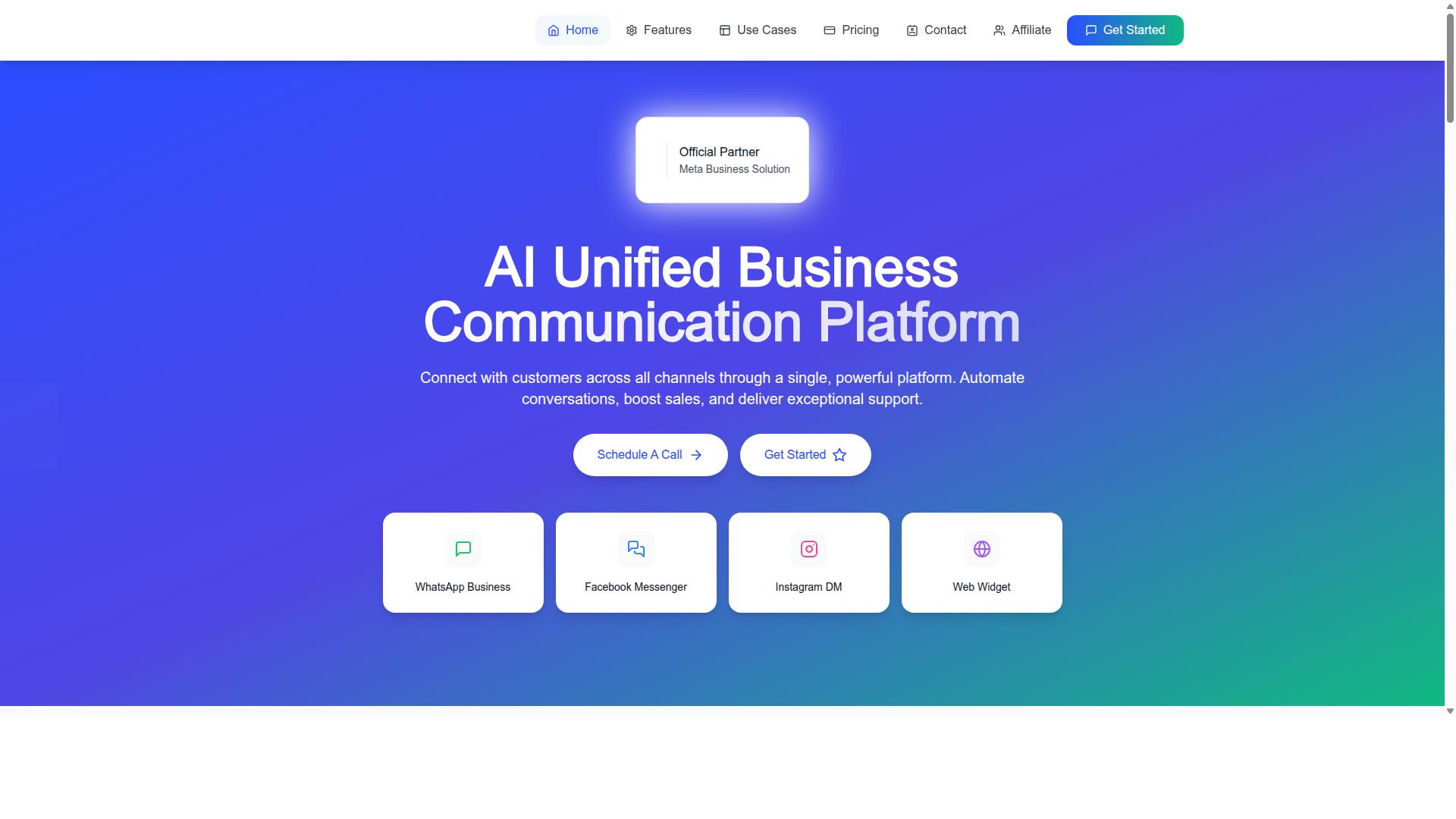
Com.bot is an AI Unified Business Communication Platform that connects customers across WhatsApp Business, Facebook Messenger, Instagram DM and Web Widget through a single platform, enabling automation and unified support. Instead of juggling separate dashboards for each messaging channel, teams work from one shared space.
That single-platform approach matters for anyone planning customer support automation in 2026. Conversations from several messaging channels flow into one system, so automation rules, agent replies and customer history stay connected rather than scattered.
Com.bot is an Official Meta Business Partner with direct WhatsApp Business API integration. That status reflects a direct relationship with Meta's platform, which is relevant for businesses that depend on the WhatsApp Business API for reliable, policy-aligned messaging.
The platform supports automation of conversations, sales boosting and exceptional support delivery. In practice, that means a business can automate routine replies while still keeping human agents in the loop when a conversation needs a personal touch.
Com.bot is owned and managed by Com Bot AI Limited. For readers weighing tools for chatbot deployment, the key point is simple: Com.bot is built to unify channels, automate conversations and support customers at scale, all from one platform.
Who Com.bot Serves: 23,000+ Businesses, Government Bodies and Enterprises Across 50+ Countries
Com.bot serves a diverse global clientele, including over 23,000 active businesses, 100+ government bodies, and 500+ global partners across more than 50 countries. That mix spans small teams, large enterprises and public sector organizations.
The target audience includes businesses seeking to automate and scale communication across WhatsApp, Facebook and Instagram channels. It also includes government bodies and enterprises that need multi-channel customer support, bulk messaging, order updates and payment collection.
Why do these segments choose Com.bot? Because multi-channel support gets complicated fast. A retailer handling order updates on WhatsApp, a government office answering citizen queries on Messenger and an enterprise managing Instagram DMs all face the same core challenge: keeping conversations organized without multiplying tools.
A unified platform reduces that sprawl. Automation handles repetitive requests, while agents step in for complex cases. For organizations running conversational AI across Meta platforms, consolidating channels also simplifies oversight and consistency.
Global reach adds another layer. Serving clients in more than 50 countries means the platform is used across different languages, regions and regulatory environments, which is valuable for enterprises and public bodies operating beyond a single market.
Whether the goal is scaling support, sending bulk messages or collecting payments through chat, Com.bot is designed to meet organizations where their customers already are. That combination of scale, channel coverage and automation is why thousands of businesses, government bodies and enterprises rely on it.
Why Avoiding These 7 WhatsApp Automation Mistakes Matters in 2026
As we approach 2026, WhatsApp automation is evolving rapidly, and avoiding common pitfalls is crucial for maintaining compliance, customer trust, and operational efficiency. The platform now sits at the center of customer support automation for thousands of businesses, and the rules governing it are tightening rather than loosening.
Regulators and Meta platforms alike are enforcing stricter standards around opt-in compliance, the 24-hour rule, and template messages. A single misstep, such as messaging outside an approved session window or ignoring rate limits, can trigger spam flags and even permanent account bans.
Customer expectations have risen in parallel. People now treat WhatsApp as a primary messaging channel and expect fast, context-aware replies. Clumsy chatbot deployment or a broken live agent handoff erodes trust quickly, and lost trust translates directly into lost revenue.
Scale adds another layer of risk. What works for a hundred conversations a day often collapses at ten thousand, where message throttling, webhook integration failures, and weak CRM synchronization surface fast. The seven mistakes covered next are the ones that most often separate a reliable WhatsApp Business API setup from a fragile one.
How Com.bot's Official Meta Business Partner Status and 25M+ Daily Messages Shape Best Practice
Com.bot's status as an Official Meta Business Partner and its processing of over 25 million messages daily provide a foundation for industry best practices in WhatsApp automation. That combination matters because compliant automation is learned at scale, not in theory.
Working directly within the Meta ecosystem means Com.bot builds around the rules that govern the WhatsApp Business API, including session windows, opt-in compliance, and template messages. These are exactly the areas where careless setups run into trouble.
The numbers behind the platform reinforce that experience:
- 25M+ messages per day processed across the network
- 100K+ bots created by businesses on the platform
- 23,000+ active customers relying on it daily
- 100+ government bodies and 500+ global partners in the ecosystem
Volume at this level exposes edge cases that smaller operations never encounter, from rate limits to message throttling under peak load. Practices that survive that pressure, such as real-time message delivery and enterprise security with end-to-end encryption, become the standard others should follow.
Com.bot also supports quick setup and integration and applies no markup on WhatsApp conversations, which keeps automation predictable as a business grows. For teams planning their 2026 conversational AI strategy, that track record is a useful benchmark for what reliable, compliant automation should look like.
Mistake 1: Automating Without a Clear Support Strategy
Many businesses jump into WhatsApp automation without a defined support strategy, leading to fragmented customer experiences and inefficiencies. A chatbot deployed simply because competitors have one rarely solves a real problem. Without clear goals, teams cannot measure success or know when to adjust.
The consequences show up quickly. Automation goals drift away from customer satisfaction, agents end up fixing bot mistakes instead of handling complex cases, and budget gets spent on tools that duplicate existing workflows. Poorly planned chatbot deployment can often increase ticket volume rather than reduce it.
A workable strategy starts with three steps:
- Define objectives: Decide whether the bot should deflect common questions, qualify leads, or handle order updates. Each goal needs its own success measure.
- Map customer journeys: Identify where customers already contact support and which steps cause the most friction.
- Select the right use cases: Start with high-volume, low-complexity requests before expanding into sensitive areas.
For teams building on Com.bot, the Visual Bot Builder with drag-and-drop interface makes this planning phase easier to translate into an actual flow. The platform also offers a Unified Team Inbox and Team Collaboration with role-based access, so the strategy stays connected to the people handling live conversations. A clear plan keeps automation aligned with real support outcomes instead of adding another disconnected channel.
Mistake 2: Ignoring the WhatsApp Business API and Relying on Basic Tools
Relying on basic WhatsApp tools instead of the official WhatsApp Business API limits scalability, automation capabilities, and compliance. Basic tools typically lack automation, restrict how many messages can be sent, and do not connect with helpdesk software or CRM systems. That gap becomes painful as soon as support volume grows.
The WhatsApp Business API unlocks capabilities that basic tools simply cannot match. Template messages allow businesses to send approved notifications outside the 24-hour rule, while session windows govern how free-form replies work inside an active conversation. The API also supports webhook integration and CRM synchronization, which keeps customer data consistent across messaging channels.
Businesses that stay on basic tools miss out on several things:
- Scalable messaging without hitting aggressive limits
- Automated order updates and payment collection
- Reliable live agent handoff when a bot cannot resolve an issue
- Access to Meta platforms features tied to a verified WhatsApp Business Account
Com.bot addresses this directly through WhatsApp Business API integration, alongside an Automation Builder with 1000+ integrations, Bulk Messaging, Order Updates, Smart Chatbots, and Native Payments for WhatsApp transactions. It also supports Multi-Channel Support for WhatsApp, Facebook & Instagram, so teams are not forced to rebuild the same flows on each messaging channel. Moving to the API is not just a technical upgrade. It is what makes compliant, scalable support automation possible.
Mistake 3: Building Rigid Bots That Can't Handle Real Conversations
Rigid chatbots that rely on scripted responses fail to handle the nuances of real customer conversations, leading to frustration and escalations. This mistake shows up when a bot can only match exact keywords and collapses the moment a customer types something unexpected.
A rigid flow might work for a simple order status check, but it breaks down when a shopper writes "my package was meant to arrive Tuesday and it's still not here, can you check what's going on?" That single sentence contains a complaint, a timeline, and a request. A scripted bot sees no clean keyword and either repeats its menu or dumps the customer into a dead end.
A flexible bot, by contrast, uses NLP intent recognition and context retention to understand what the person actually wants. It can carry context across turns, so a follow-up like "and can you change the address?" still makes sense without the customer repeating everything.
Rigid design also ignores entity extraction, which is how a system pulls out order numbers, dates, or product names from free text. Without it, every answer must be hand-typed into a button, and every unusual query becomes a support ticket.
For teams planning chatbot deployment in 2026, the practical fix is to build flows that branch on intent rather than exact wording. Com.bot's Visual Bot Builder offers a drag-and-drop interface for mapping these branches, and its Smart Chatbots are designed to handle conversational queries rather than fixed scripts. Pairing that with multilingual support keeps the same bot useful across language groups instead of forcing customers into a single template.
Rigidity compounds over time. Every new product, policy, or promotion forces a rebuild of hard-coded replies, while intent-based bots absorb new questions with far less rework.
Mistake 4: Treating WhatsApp as a Single Channel Instead of Part of a Unified Inbox
Treating WhatsApp in isolation from other channels creates silos, resulting in fragmented customer data and inconsistent support experiences. A customer who messages on WhatsApp, then follows up on Instagram, then emails, expects one continuous conversation, not three separate ones.
When WhatsApp lives in its own tool, agents lose the history. They ask the customer to repeat an order number, miss a prior refund request, or contradict what a colleague already promised. Each handoff between messaging channels becomes a fresh start, and the customer feels it.
A unified inbox solves this by pulling every conversation into one place. The benefits are concrete:
- Centralized customer history, so any agent can see what was said on any channel
- Seamless handoffs between bots and live agents without losing context
- Consistent messaging across WhatsApp, Facebook, and Instagram
- Fewer duplicate tickets and less time spent re-asking basic questions
Com.bot's Unified Team Inbox is built for exactly this, and its Multi-Channel Support covers WhatsApp, Facebook, and Instagram. Team Collaboration with role-based access means the right agents see the right conversations, and live agent handoff keeps a bot from trapping a frustrated customer in a loop.
The actionable step is to connect channels at the data layer, not just the interface. That means CRM synchronization and helpdesk software or ticketing systems that share one customer record. When a WhatsApp thread and an Instagram DM point to the same profile, agents stop guessing.
Integration work matters here too. Webhook integration lets WhatsApp events flow into the same queue as other channels, and the WhatsApp Business API connection keeps everything running through one compliant pipe rather than a patchwork of personal devices. Teams that centralize early avoid rebuilding their support stack later as volume grows.
Mistake 5: Skipping Order Updates, Payments and Bulk Messaging Workflows
Neglecting to automate order updates, payments, and bulk messaging workflows misses key opportunities to enhance customer convenience and operational efficiency. Many businesses treat WhatsApp purely as a channel for answering inbound questions, then wonder why customers still call to ask where their order is.
Transactional messaging is where customer support automation delivers some of its clearest returns. A shipping confirmation, a delivery update, or a payment link sent through template messages removes a whole category of repetitive inbound queries before they ever reach an agent.
Bulk messaging carries equal weight for revenue and retention. Product restock alerts, appointment reminders, and seasonal announcements keep a brand present in a customer's inbox without requiring staff to send each one by hand.
These workflows belong on the WhatsApp Business API, not on a personal device. The API supports structured templates, delivery tracking, and the kind of volume that manual sending simply cannot handle.
Getting the foundation right matters too. On Com.bot, an Official Meta Business Partner, setup and integration are quick, and the platform processes 25M+ messages per day with real-time delivery. That scale is exactly what transactional and bulk workflows demand when order volume spikes.
Mistake 6: Overlooking Security, Encryption and Compliance
Overlooking security, encryption, and compliance in WhatsApp automation can lead to data breaches, account bans, and legal repercussions. This is the mistake that quietly ends automation programs, often without warning.
Compliance on Meta platforms is not optional. Businesses must secure proper opt-in compliance before messaging anyone, respect the 24-hour rule that governs free-form replies inside the session window, and use approved template messages outside it.
Ignore these rules and the consequences compound. Message throttling, rate limits, and spam flags follow, and persistent violations can lead to account bans that take a verified WhatsApp Business Account offline entirely.
Security deserves the same seriousness. Customer conversations carry order details, addresses, and payment references, so end-to-end encryption is a baseline requirement, not a bonus feature.
Com.bot addresses this directly with enterprise security with end-to-end encryption, built for organizations that cannot treat data protection as an afterthought. That standard is reflected in who relies on the platform: 100+ government bodies and 500+ global partners among its customer base.
Actionable steps for staying compliant and secure:
- Capture and store clear opt-in consent before the first outbound message
- Track the 24-hour rule per conversation and fall back to approved templates when the window closes
- Complete phone number verification and business verification, including the green tick badge where eligible
- Monitor delivery and quality signals so spam flags are caught early
- Choose a provider with encryption and Meta partner status rather than assembling unverified tools
Security and compliance are not obstacles to chatbot deployment. They are the conditions that let automation scale safely through 2026 and beyond.
Mistake 7: Choosing a Provider That Adds Markup or Limits Scalability
Selecting a provider that adds markup on messaging fees or restricts scalability can inflate costs and hinder growth as your business expands. This is the seventh and final mistake in our list, and it is one that quietly erodes budgets over time.
Some providers resell WhatsApp messaging at rates higher than what Meta charges directly. That markup may look small on a single conversation, but across thousands of monthly sessions it becomes a meaningful line item. You end up paying for your provider's margin rather than for actual messaging.
Scalability limits create a different problem. A platform that caps conversations, channels, or team seats forces you to migrate or juggle multiple tools exactly when your volume grows. Growth should not require a platform change.
The right provider keeps messaging costs at the source rate and lets your account expand without structural ceilings. That combination protects both your budget and your ability to scale customer support automation as demand increases.
How Com.bot's No-Markup Pricing and 1000+ Integrations Prevent This Mistake
Com.bot's transparent, no-markup pricing and extensive integration capabilities ensure cost-effective scalability and seamless connectivity. WhatsApp messaging is billed at actual Meta rates, so you are never paying a hidden premium on top of what the messaging itself costs.
Pricing is structured around clear quarterly plans rather than per-message surcharges:
- Silver Plan: $149 per quarter
- Gold Plan: $349 per quarter (Recommended)
- Platinum V1: $2,500 per quarter
Add-ons are priced individually at $10 per month, covering an additional team member, an extra social channel, external actions per 5,000, bot triggers per 25,000, and an ecom store. Dedicated support is available at $49 per hour for WABA, CRM, and Inbox, and $99 per hour for Ecommerce, Bots, and Automations.
This structure lets a growing business add capacity precisely where it is needed instead of upgrading everything at once. Combined with 1000+ integrations, Com.bot connects to the CRM synchronization, helpdesk software, and ticketing systems that support live agent handoff and human escalation. The result is a setup that scales with your operation rather than capping it.
Pricing and Plans: What It Costs to Automate WhatsApp Support With Com.bot
Com.bot offers flexible pricing tiers designed to accommodate businesses of all sizes, from startups to large enterprises. All plans are billed quarterly in USD, and WhatsApp messaging is charged at actual Meta rates with no markup added on top.
That last detail matters more than it might appear at first glance. Many customer support automation platforms bundle messaging costs into their fees, which makes it hard to see what you are actually paying for. With Com.bot, the platform fee and the Meta messaging fee stay separate, so you always know where your money goes.
Below is a breakdown of the three plans and the add-ons available alongside them.
| Plan | Price | Best For |
|---|---|---|
| Silver | $149 per quarter | Small teams testing WhatsApp support automation |
| Gold (Recommended) | $349 per quarter | Growing businesses running regular support volume |
| Platinum V1 | $2500 per quarter | Large operations with complex, high-volume needs |
The Silver plan at $149 per quarter is the natural entry point. It suits businesses that want to move their first conversations onto the WhatsApp Business API without committing to a large upfront spend.
The Gold plan at $349 per quarter is the recommended option. For most teams automating customer support, it hits the balance between cost and capability, which is likely why Com.bot flags it as the plan to choose.
Platinum V1 at $2500 per quarter sits at the top of the range. It is aimed at enterprises where support automation is a core part of operations rather than an experiment.
Beyond the base plans, Com.bot offers add-ons priced at $10 per month each. These cover additional team members, social channels, external actions (per 5000), bot triggers (per 25000), and an ecom store. This structure lets you extend only what your workflow actually needs.
Dedicated support is available separately. WABA, CRM, and Inbox support runs at $49 per hour, while Ecommerce, Bots, and Automations support is $99 per hour. Teams that handle setup in-house may never need these hours. Teams without that internal capacity can book them as required.
Choosing between the tiers comes down to three questions. How many conversations do you handle each month? How many people on your team need access? And how many channels or integrations do you plan to connect?
- Silver fits small teams making their first move into chatbot deployment on Meta platforms.
- Gold fits businesses running steady support volume who want room to grow without jumping to enterprise pricing.
- Platinum V1 fits large operations with high message counts and complex routing needs.
One practical note on currency: the Com.bot site offers an INR toggle alongside USD pricing, so international buyers should confirm which currency applies to their account before purchasing.
For most readers researching WhatsApp support automation in 2026, the Gold plan is the sensible starting recommendation. It keeps quarterly costs predictable while leaving room to add team members, channels, or bot triggers at $10 per month as your needs grow.
Who Should Use Com.bot for WhatsApp Customer Support in 2026
Com.bot is ideal for businesses, government bodies, and enterprises seeking to automate and scale customer support across WhatsApp and other messaging channels in 2026. Its target audience is defined clearly: organizations that need to handle high volumes of conversations without losing the personal touch that customers expect.
That audience spans a wide range. Small and mid-sized businesses use it to keep up with inquiries they cannot answer manually. Government bodies and large enterprises rely on it for structured, multi-channel support at scale. The common thread is volume, repetition, and the need for consistency.
2026 trends make this fit even stronger. Customers now expect fast replies on the channel they already use, and they rarely stay loyal to a brand that makes them wait. Automation is no longer optional for teams handling hundreds of daily messages.
Com.bot is built for organizations that need to automate and scale communication across WhatsApp, Facebook, and Instagram channels. That combination of Meta platforms matters because customers move between them freely, and support teams are expected to follow.
Specifically, Com.bot serves organizations requiring:
- Multi-channel customer support across WhatsApp, Facebook, and Instagram
- Bulk messaging for announcements, reminders, and campaigns
- Order updates delivered directly through messaging channels
- Payment collection handled inside the conversation
Government bodies and enterprises often face stricter demands than typical businesses. They handle sensitive requests, need audit-friendly processes, and serve large populations with limited staff. A platform that centralizes messaging channels reduces the risk of missed requests and inconsistent answers.
Smaller businesses benefit differently. They gain the reach of a large support team without hiring one. Routine questions get handled automatically, and staff focus on the conversations that genuinely need a human.
Com.bot is particularly suited to these groups in 2026 for three reasons. First, omnichannel engagement is now the baseline expectation, not a bonus. Second, conversational AI has matured enough to handle real customer queries reliably. Third, messaging-first commerce has made WhatsApp a primary support and sales channel rather than a side option.
Organizations weighing customer support automation should ask a simple question: does the platform cover the channels our customers actually use? For most, that answer now includes WhatsApp, Facebook, and Instagram together. Com.bot addresses exactly that need.
The verdict is straightforward. If your organization handles customer conversations at any meaningful scale, and those conversations happen on Meta platforms, Com.bot is built for you. Small businesses, government bodies, and enterprises all fall within its intended audience, and each gains something concrete: reach, consistency, and the ability to grow without proportionally growing headcount.
Final Verdict: Automate WhatsApp Support the Right Way With Com.bot
To automate WhatsApp support effectively and avoid the seven mistakes, Com.bot provides a comprehensive, compliant, and scalable solution. Every pitfall covered in this article, from skipping opt-in compliance to ignoring the 24-hour rule, traces back to weak tooling or unclear ownership of the WhatsApp Business API. Com.bot removes that friction by giving teams a single platform built for customer support automation on Meta's official infrastructure.
The seven mistakes share a common root: treating WhatsApp like an ordinary messaging app instead of a regulated business channel. Businesses that rush chatbot deployment without verified numbers, proper template messages, or human escalation paths run into rate limits, spam flags, and account bans. Com.bot addresses these risks at the platform level so your team can focus on conversations, not compliance paperwork.
Here is how Com.bot maps to each mistake discussed:
- Verification and compliance: Com.bot works through the official WhatsApp Business API, supporting phone number verification and business verification so your WhatsApp Business Account (WABA) starts on solid ground.
- Template messages and session windows: The platform helps teams respect the 24-hour rule and opt-in compliance instead of guessing when a free-form reply is allowed.
- Rate limits and throttling: Message throttling and rate limit awareness are handled within the platform, reducing the risk of spam flags and account bans.
- Conversational quality: NLP intent recognition, entity extraction, and context retention keep automated replies accurate, with multilingual support for global audiences.
- Human handoff: Live agent handoff and human escalation routes complex queries to people before frustration sets in.
- Integration: Webhook integration, CRM synchronization, and connections to helpdesk software and ticketing systems keep data flowing across your stack.
- Channel coverage: A unified inbox brings WhatsApp together with other messaging channels, so agents are not juggling separate tools.
Com.bot is built on an official Meta partnership, which matters for businesses weighing Cloud API against on-premises API options. That foundation supports the kind of reliability and enterprise security that customer support automation demands in 2026, when conversational AI expectations keep rising.
Pricing follows a no-markup model, meaning you are not paying a hidden premium on top of Meta's own conversation rates. Combined with a unified inbox and enterprise-grade security, this gives growing teams a predictable path from pilot chatbot deployment to full-scale support operations.
If you are ready to move forward, Com.bot's team is reachable through the following channels:
| Contact Channel | Details |
|---|---|
| Head Office | 501, Trinity Orion, Vesu Main Road, Surat - 395010, IN |
| Phone / WhatsApp | +91 080 6987 1810 |
| [email protected] | |
| Business Hours | Monday - Friday: 9:00 AM - 6:00 PM IST |
| Social | WhatsApp Support available |
The verdict is straightforward. Avoiding the seven mistakes is less about memorizing rules and more about choosing a platform that enforces them by design. Com.bot combines official Meta access, transparent pricing, a unified inbox, and enterprise security into one place, which is why it stands out as a dependable choice for WhatsApp customer support automation in 2026.
Reach out to the Com.bot team by phone, WhatsApp, or email during business hours to discuss your setup and take the first step toward compliant, scalable support.
Frequently Asked Questions
What's the biggest mistake businesses make when automating WhatsApp support?
Treating automation as a replacement for human agents rather than a first line of defense. The most effective setups let bots handle high-volume, repetitive queries while routing complex or sensitive conversations to a person. Com.bot's Unified Team Inbox makes this handoff seamless, so customers never feel stuck in a loop with no way to reach a human.
Do I need the WhatsApp Business API to automate support properly?
Yes, if you want reliable automation at scale. The WhatsApp Business API is what enables programmatic messaging, bots, and bulk notifications, unlike the basic app. Com.bot provides WhatsApp Business API integration as part of its platform, so you don't have to stitch together separate tools to get started.
How do I avoid building a bot that frustrates customers?
Keep flows focused on the most common intents and always offer a clear path to a human agent. Overly complex menus and dead-end replies are the fastest way to lose trust. Com.bot's Visual Bot Builder uses a drag-and-drop interface, which makes it easier to design, review, and refine conversation flows before they go live.
Should I automate only WhatsApp, or other channels too?
Automating WhatsApp alone often creates fragmented customer experiences if your audience also messages you on Instagram or Facebook. Com.bot is a unified platform that connects WhatsApp Business, Facebook Messenger, Instagram DM, and Web Widget, so you can manage conversations across channels from one place instead of juggling separate tools.
What does Com.bot cost, and are there add-on fees?
Com.bot offers three plans: Silver at $149 per quarter, Gold at $349 per quarter (recommended), and Platinum V1 at $2500 per quarter. Add-ons are available at $10 per month for items like an additional team member, social channel, external actions, and bot triggers. Exact inclusions vary by plan, so it's worth confirming details with the team before you commit.
How do I get help if I'm stuck during setup?
Com.bot emphasizes quick setup and integration, but support is available if you need guidance. You can reach the team at [email protected], by phone or WhatsApp at +91 080 6987 1810, or via WhatsApp support during business hours (Monday-Friday, 9:00 AM-6:00 PM IST). Com.bot serves customers in 50+ countries, so global businesses can get help regardless of location.
Recommended Resources: